



Here is how to find and share the URL of someone else's Instagram profile, and of your own.
Quick guide: how do I find the URL of another Instagram profile?
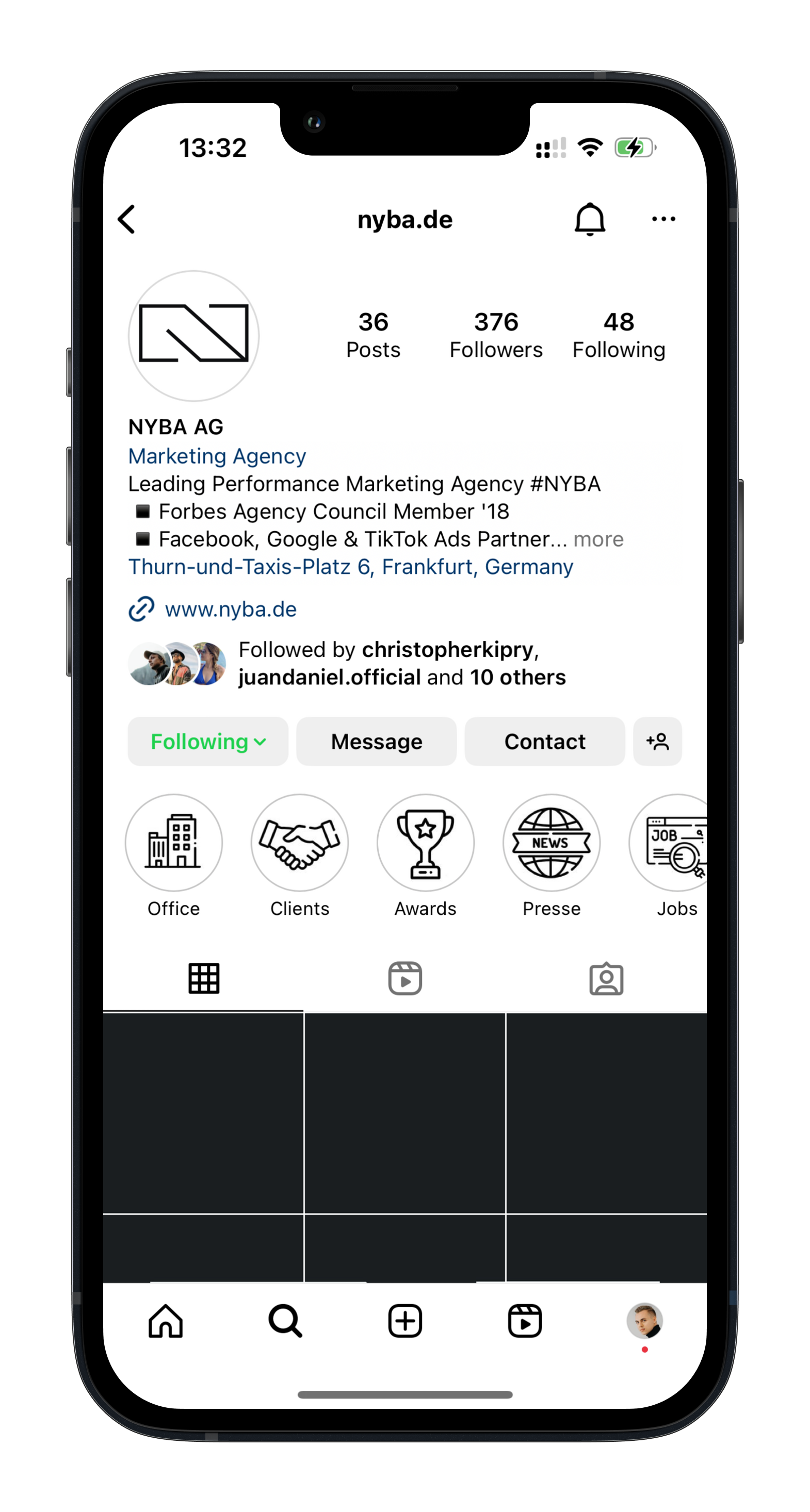
- Open the profile you want to share in the Instagram app
- Tap the three dots in the top right corner
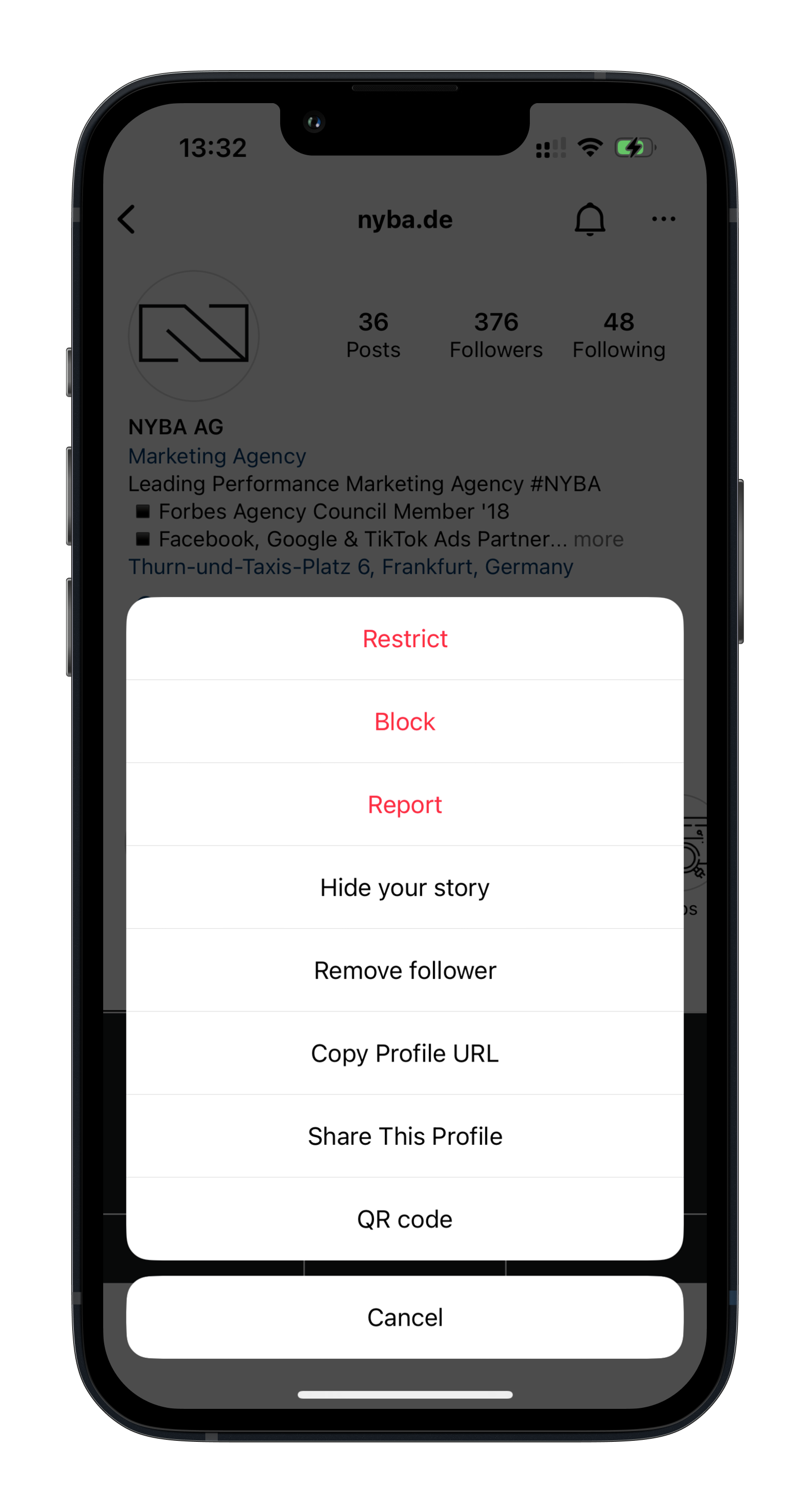
- At the bottom of the menu, tap “Copy profile URL”
The URL is now in your clipboard and ready to share.
Here are the same steps as screenshots:
Quick guide: how do I find the URL of my own Instagram profile?
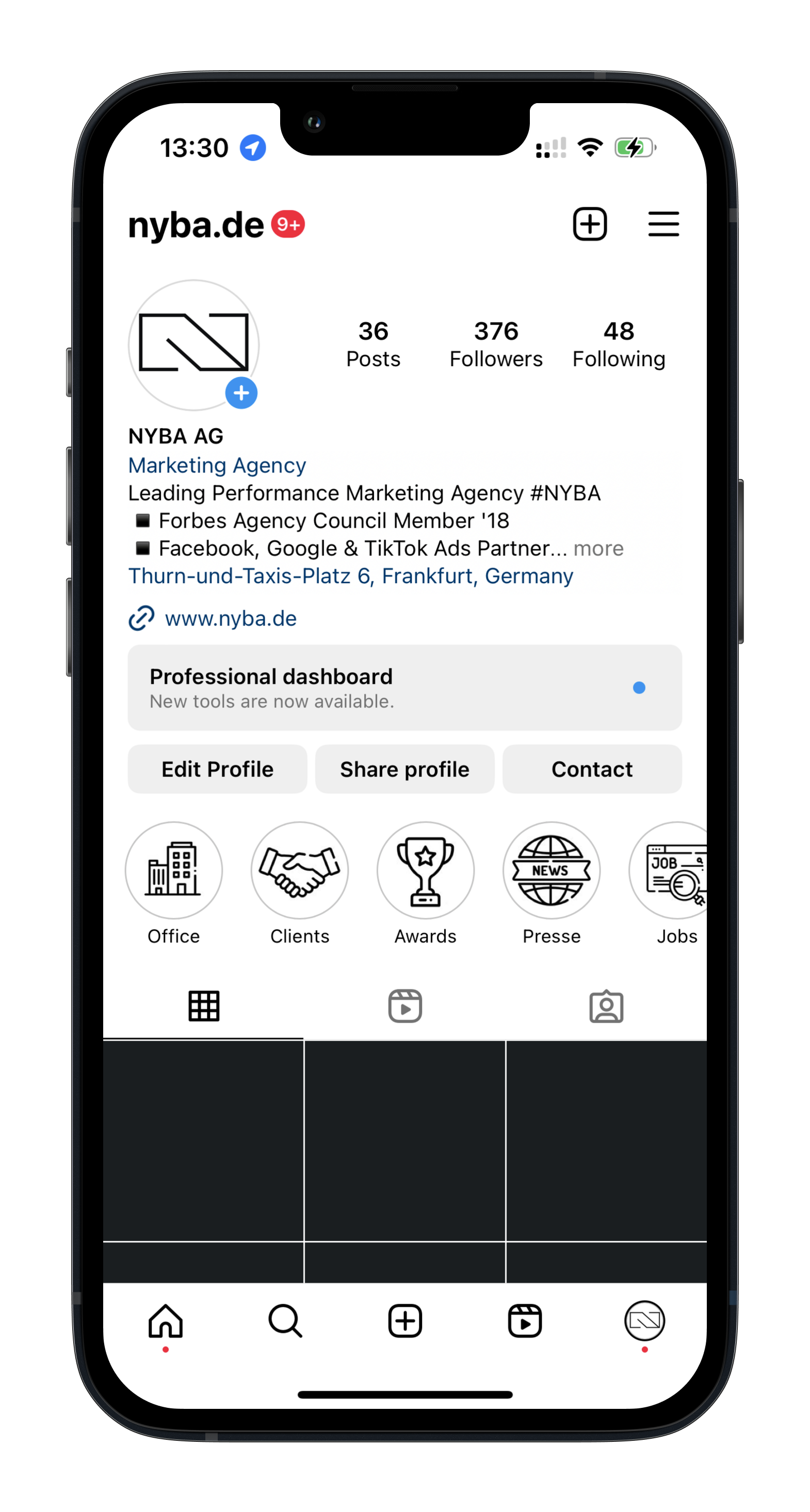
- Open your profile in the Instagram app
- Tap the menu in the top right corner (three lines)
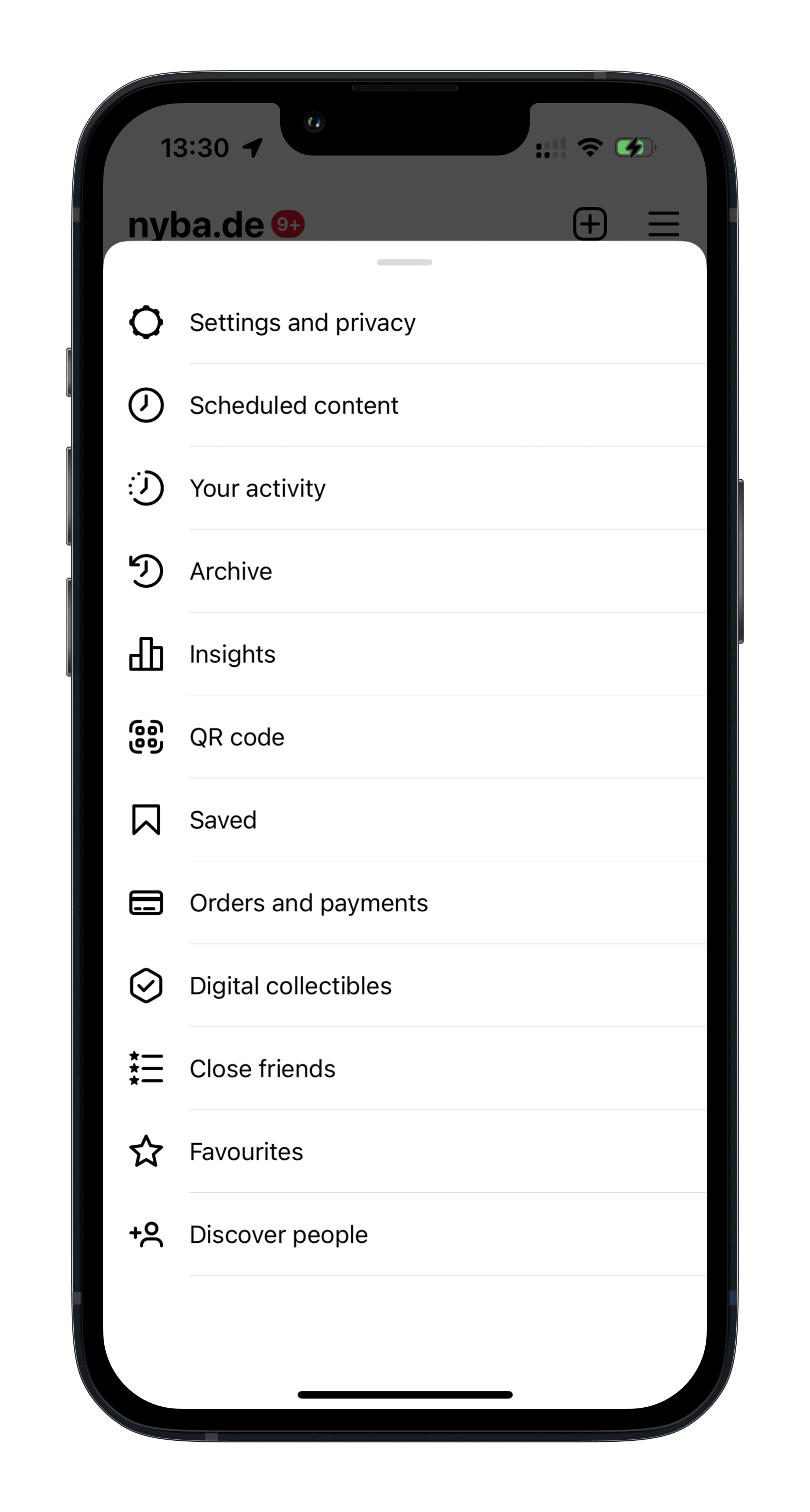
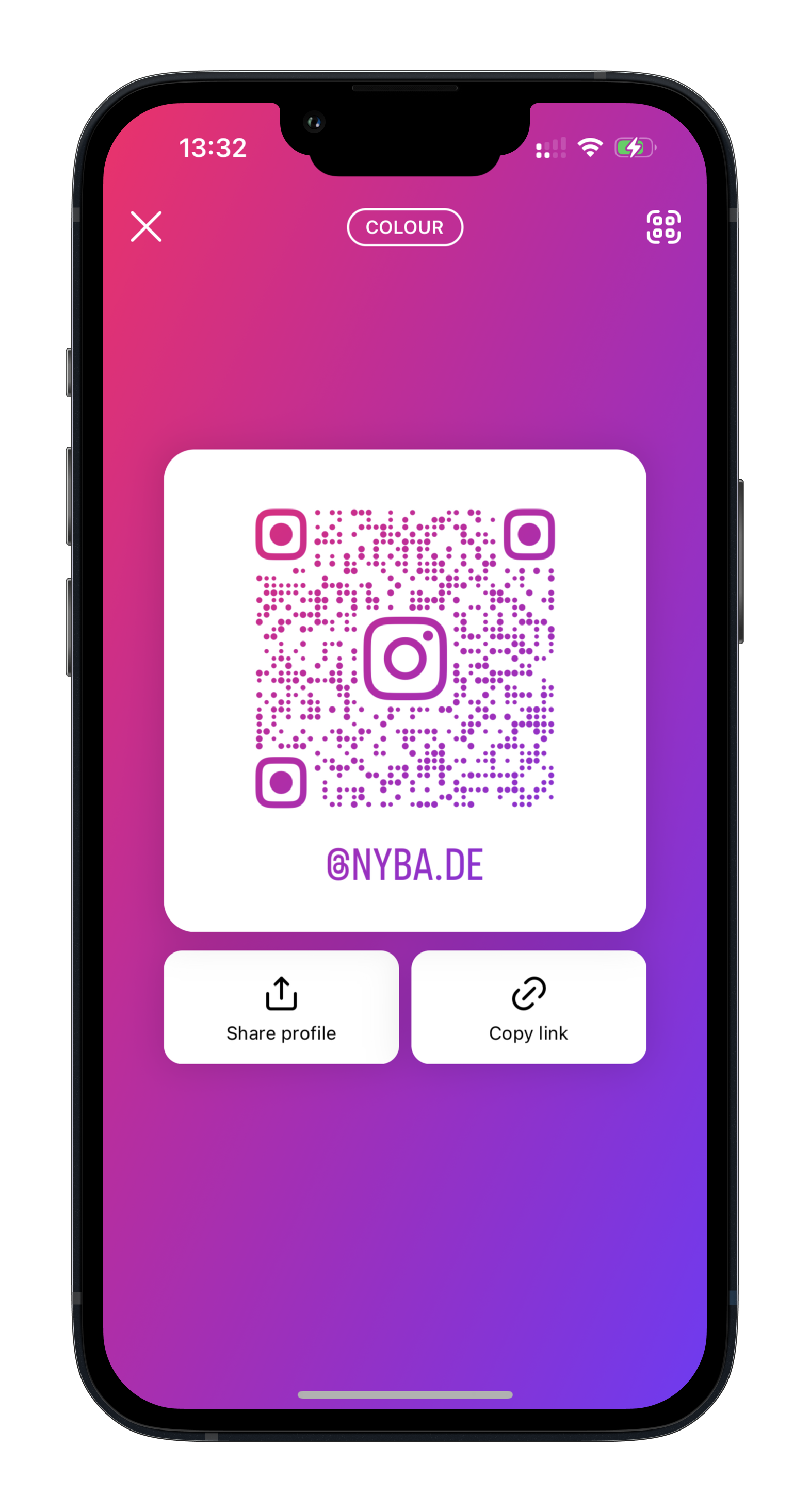
- Select “QR code”
From there you can copy your profile link to the clipboard, or share your profile via the QR code or another app.
Here are the same steps as screenshots:


Was würde 3x mehr
Umsatz für dich bedeuten?
Finde es heraus:
