


On Google’s Page 1 with These SEO Tips
5 Tips to Organically Move Towards Page 1 on Google


Du willst deine Web Performance bei Google selbst voranbringen? Mit diesen 5 praxisorientierten und ausführlichen Tipps kann dir das erfolgreich gelingen.
© Lalo Hernandez - Unsplash
Search Engine Optimization (SEO)? Most people have heard of this term at some point, but very few actually use their knowledge to maximize their business success. Commonly cited reasons include that implementation is too complex or difficult, or that years of experience are required to execute it effectively. This article provides a range of valuable tips and shows how you can improve your web performance even with limited knowledge of SEO and related topics.
1. REGISTER WITH GOOGLE SEARCH CONSOLE
Although registering your website with Google Search Console is not strictly necessary for your site to appear in Google search results, it is highly recommended. This small effort allows you to monitor your website with ease. The service is free and helps you better understand how your website is perceived by potential customers so you can adapt it to your target audience if needed.
The following features are included in Google Search Console:
- You can see whether Google is able to find and crawl your website; I’ll explain in detail what crawling means shortly.
- You can also find out which pages link to your website, and you’ll receive immediate notifications if Google encounters problems on your site, such as indexing errors or spam.
- You can see how often your website appears in Google search results, get insights into your click-through rate, and understand which search queries led users to your website. This information is essential for optimizing your keywords and improving your website’s ranking on Google.
1.1 Property bestätigen
Screenshot Hetzenegger, NYBA
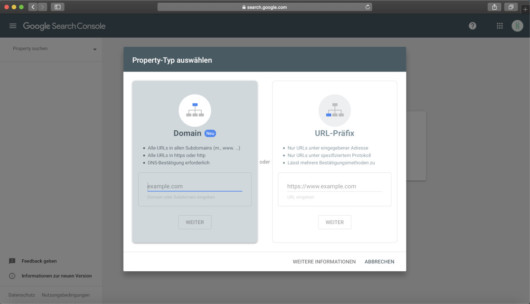
Are you wondering how such a registration works? To use Google Search Console, you first need to add your websitethere. Use this link. You have two options for implementation:
- Domain: Includes all URLs in all subdomains, with both https and http.
- URL prefix: Only URLs under the specified address and protocol are included.
It is best to choose the option that includes all subdomains and both https and http, as this saves you from having to add all variations individually. Enter your domain without subdomains and without https in the free field.
1.2 Editing DNS Settings
Are you wondering how such a registration works? To use Google Search Console, you first need to add your websitethere. Use this link. You have two options for implementation:
Screenshot Hetzenegger, NYBA
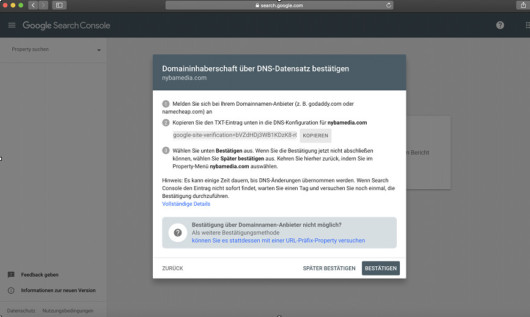
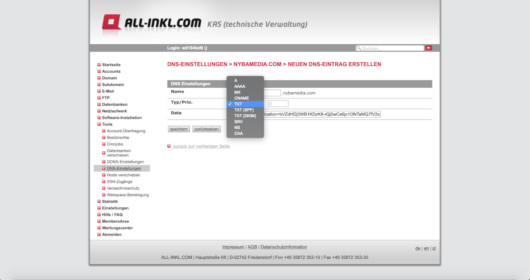
To add the TXT record in your domain’s DNS settings, simply log in to a trusted hosting provider, select the correct domain, and navigate to the DNS settings. Click on “Create new DNS record” and use the record type TXT:
Screenshot Hetzenegger, NYBA
Now you can return to the Search Console and verify the domain ownership.
Note: In our experience, it may take a few minutes for the domain to be confirmed. Once verified, you can use the Google Search Console in full. And that’s exactly where we’ll start.
1.3 Performing Crawling
Web content is automatically downloaded and submitted to the search engine by the Googlebot, also known as the Google crawler. This process informs the search engine about new HTML pages or changes to existing content. The crawler is a computer program that adds new content, such as inbound links, text updates, changed URLs, and the structure of the website, to Google’s database.
The duration and accuracy of the content analysis can vary significantly. All of this is done using an algorithm that essentially “crawls” the website.
To perform a Google crawl, select the third menu item “URL Inspection” at the top of the Google Search Console and enter your domain in the upper menu. Then, as shown in the image below, click on “Request Indexing”:

Screenshot Hetzenegger, NYBA
1.4 Submitting a Sitemap
A sitemap is a file that is read by search engines like Google to help crawl your website more intelligently. It provides information about pages, videos, and other files. The sitemap helps the crawler navigate your website more efficiently by showing its structure, making it easier to discover content. It also allows you to indicate the primary focus areas of your website and tell the search engine which sections are most important.
But when do you actually need a sitemap? In general, a sitemap is useful if your website meets one of the following criteria:
- Your website is very large, so there is a risk that a new or recently updated page may be overlooked during crawling.
- Your website is relatively new and has few external links. As described earlier, the crawler moves from one page to another via links, so a lack of links may result in pages not being discovered.
- Your website uses rich media content, appears in Google News, or has other annotations compatible with sitemaps.
- Many of your content pages are isolated or not interlinked. In this case, a sitemap ensures that no pages are skipped by Google.
How do you set up a sitemap?
In the Google Search Console, click on the fifth menu item from the top, “Sitemaps”, and add your domain with the suffix /sitemap.xml, including the subdomain. If your site has an SSL certificate, use https, otherwise use http. Then click the “Submit” button, and your sitemap will be successfully submitted:
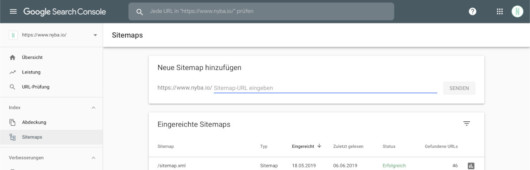
Screenshot Hetzenegger, NYBA
1.5 Analyzing Website Performance
Once everything is set up correctly, you can now view your website performance, which is usually displayed with a delay of about two days. Under the “Performance” menu, you can not only see clicks, impressions, average CTR, and your website’s position, but also which search queries your website ranks for.
Not ranking for the right search queries? The keywords aren’t 100% relevant to your topic? Don’t worry. In section three of this article, we will introduce tools for professional keyword research, which will help you optimize your website effectively.
Tip: Make sure you can view the columns for search queries, clicks, impressions, and position. You can adjust this via the “Filter rows” menu.
2. Creating & Optimizing Your Google Business Listing
With Google My Business, you can quickly and easily create and manage business listings on Google Maps for free. When potential customers perform a local search, your business will be visible to them.
By creating and verifying your business on Google My Business, you can:
- Add your business information to Google Maps
- Ensure this information appears on Google, Google Maps, and Google Earth when users search for your business
- Display your business name, address, and phone number clearly in ads using location extensions
If you don’t yet have a Google My Business account, or want to create or edit your listing, use this link. Follow Google’s simple and intuitive process to set up your Google Business Profile. You will then need to verify your business address. Google will send a code, which you can request during the setup process. This usually takes 2-3 business days.
2.1 Professional Appearance
Your Google Business listing is your online business card, alongside your website. Anyone searching for your business will encounter it. It’s alarming how often I see listings with a pixelated, poorly cropped, or even missing logo. What does that say about your business if your online presence is half-hearted? Take the time to improve your appearance: trust me, the results will follow quickly.
2.2 Google Reviews
Reviews are essential. Good reviews not only positively impact your ranking but also serve as the best advertising for potential new customers. It’s important that reviews are genuine and authentic. Don’t create fake accounts for reviews: it won’t work.
A simpler approach is to send customers a direct link that opens the “Write a Review” window. You can insert your Place ID here. Find it via the Google Maps Platform Places API, copy the Place ID, and insert it into your review link.
2.3 Q&A
Google My Business also allows you to publicly answer questions from customers. If you receive the same recurring questions, this is the perfect place to address them. Additionally, you can enable the chat function in the Google My Business app, allowing potential customers to send you messages “WhatsApp-style.” Not mandatory, but definitely a nice-to-have.
2.4 Adding Attributes
Adding attributes is especially useful for public facilities like restaurants, shops, or museums. You can indicate whether your business has an accessible entrance, offers vegetarian options, or is casual and cozy, etc. These attributes are displayed attractively with emojis, helping attract customers sooner.
2.5 Business Description
The listing also allows you to describe your business in up to 250 words. Often this is neglected or underused because it appears lower down in Google My Business. Nevertheless, it should be utilized fully.
3. Using Professional Keyword Research Tools
To navigate the many keyword research tools available, here are some relevant and sufficient tools for most users.
3.1 XOVI
XOVI is a comprehensive tool that helps beginners get an overview. Key areas include:
- Keywords: Track rankings, perform keyword research, and see which keywords offer top-ranking opportunities.
- Monitoring: Key metrics like OVI, rankings of various keywords, and domain analyses.
- Onpage: Tools to optimize texts, snippet generator, website speed tool.
- Search Analytics: Connect your account to XOVI to view Google Search Console data.
- Links: Track existing links, manage link building or removal, perform backlink analysis.
- Social: Track social media stats, monitor competitors, find influencers.
- Ads & Affiliate: Insights into competitors’ ads and affiliate campaigns.
- Reporting: Generate various reports, including white-label options for agencies.
3.2 Google Keyword Planner
A “must-have tool” not only for Ads but also for SEO. Provides keyword suggestions, search volume, and forecasts.
3.3 Google Trends
Shows user interest over time and enables trend forecasting, displaying the search terms relative to overall search volume.
3.4 Google Analytics
One of the most used web analytics tools worldwide. Requires a tracking code on your website. Free in the basic version, it provides insights into visitor numbers, session duration, user behavior, and more.
4. Strengthening Your Website SEO
After optimizing with the above tools, here are 5 essential criteria for top rankings:
4.1 Meta Title & Meta Description
Ensure your main keywords are included and that the full available length/character count is used.
4.2 Headlines
Your website headlines should cover the most important keywords. Title tags are like magazine headlines: they appear in the browser tab when opening a page.

Screenshot Hetzenegger, NYBA
4.3 Keyword-Optimized Content
What is an SEO-optimized text? It’s a text designed to be understood by Google and considered relevant. It’s important to conduct thorough keyword research beforehand and naturally integrate the most important keywords for your business into your content. This helps Google recognize your content and classify it as relevant for the topic.
However, make sure not to overstuff your text with keywords. Focus primarily on producing high-quality content, which significantly improves user experience (UX) and is strongly favored by Google. Keyword stuffing is strongly discouraged.
4.4 Page Load Speed
Another crucial factor is the loading speed of your website. Especially for the mobile version, Google places great emphasis on fast-loading content. To test your page speed, use Google PageSpeed Insights.
After the analysis, Google assigns a score from 0 to 100 and provides suggestions for improvement. Common recommendations include properly sizing images. If your score is below 50, urgent action is required.
4.5 Mobile Optimization & UX
A responsive website is a must nowadays. Why? A mobile-optimized site is not only favored by Google, keyword: Mobile-First Indexing, but is also better received by visitors.
Additionally, the trend has been moving toward mobile devices for years, whether smartphones or tablets. A mobile website must load quickly, be lightweight, and intuitive to use. Often, less is more in mobile design.

Screenshot Hetzenegger, NYBA
Conclusion: When it comes to overall search engine optimization, including keyword-optimized content, you must not lose sight of user experience (UX).
With this guest article, I aim to provide you with some practical tips to help you improve your Google ranking independently. I wish you great success in implementing these strategies. If you have any questions or suggestions, feel free to reach out and connect with me.
Published on: 25.12.2019 at onlinemarketing.de
Original article: https://onlinemarketing.de/news/5-tipps-organisch-seite-1-google
Real ChatGPT ads from NYBA campaigns, with results
NYBA has been running ChatGPT ads for live events in Germany since the launch in August 2026. Two examples, shown the way they appear inside the ChatGPT answer, with their first results:


What Meta ads for events look like: real NYBA examples
Three ads from live campaigns run through NYBA OS, shown the way fans see them on Facebook and Instagram: two feed ads and a video ad.


What Google ads for events look like: real NYBA examples
Real previews from live Google Ads campaigns run through NYBA OS: search ads with image, Performance Max in the YouTube feed, in Discover and on the Display network, and YouTube Shorts. One Performance Max asset group feeds all of these placements.





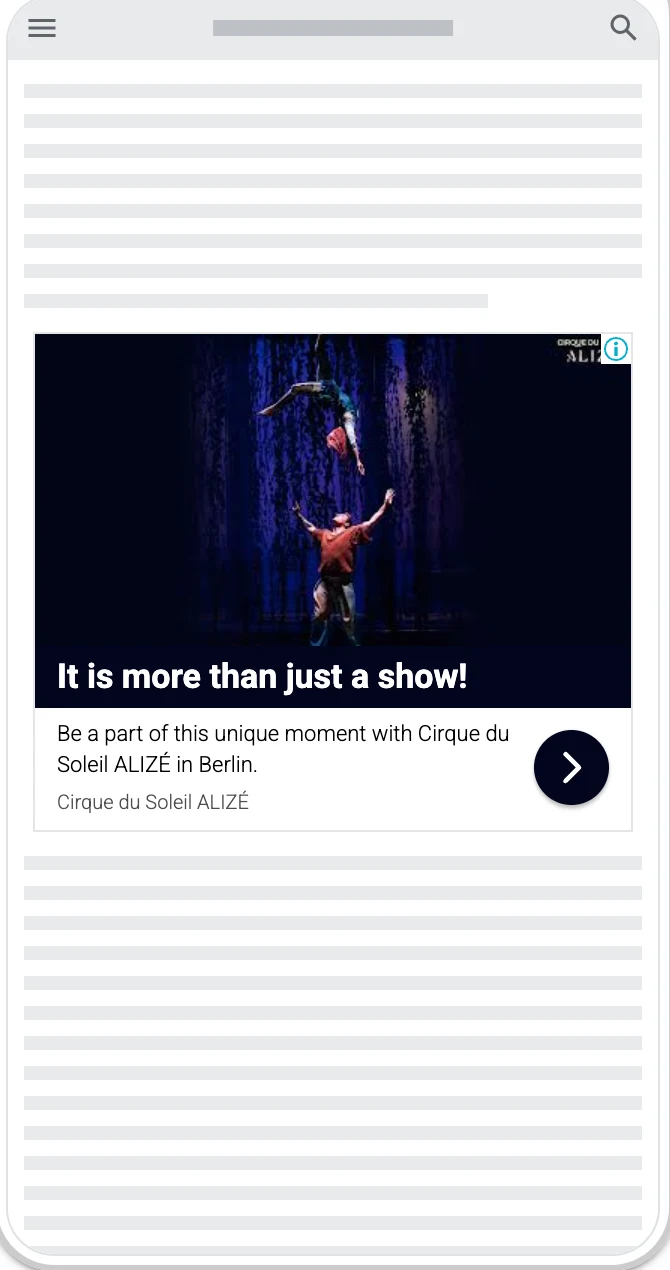
Every ad placement at a glance
Real ads from campaigns run through NYBA OS, sorted by platform: Google and YouTube, Meta, TikTok, ChatGPT and Snapchat. Tap a platform to expand it.




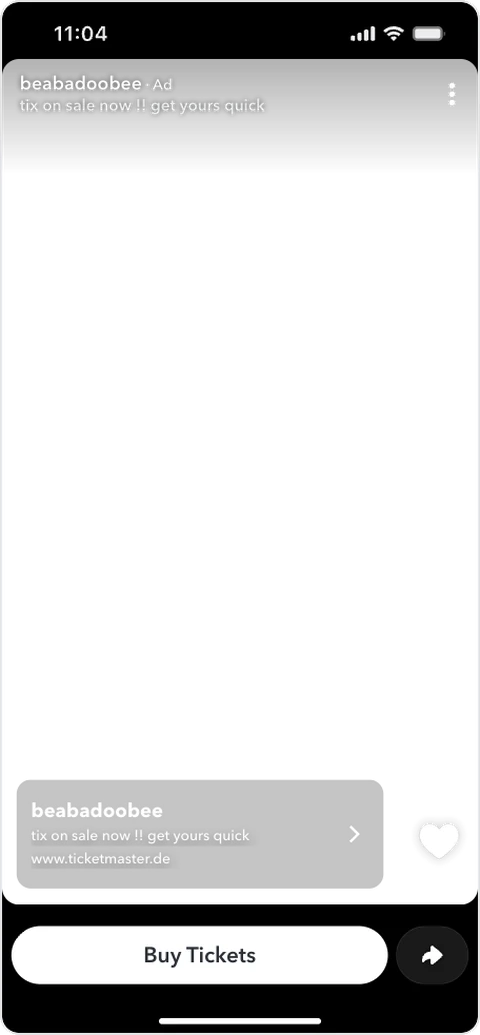
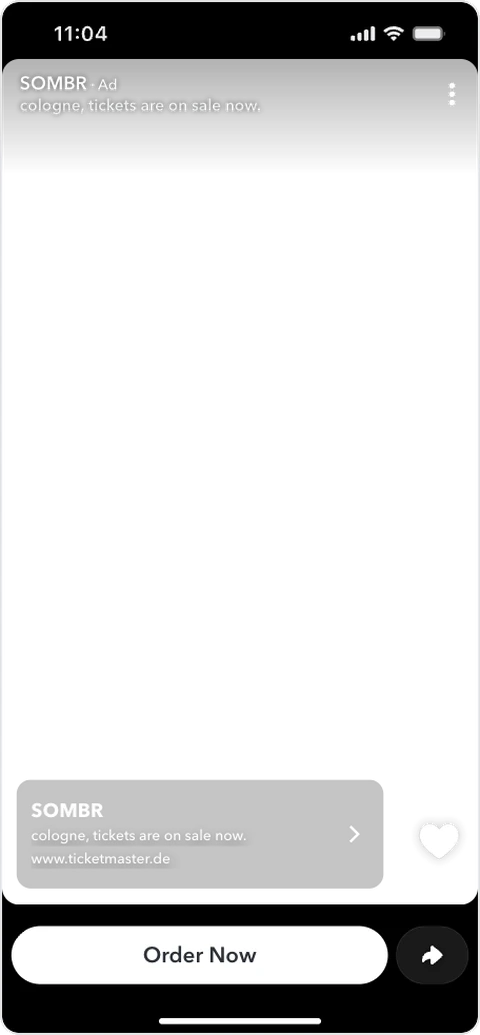
What Snapchat ads for events look like: real NYBA examples
Real previews from live Snapchat campaigns run through NYBA OS: a Spotlight video ad and full-screen video ads between Stories, each with a direct ticket button.
Depending on the type of event, NYBA runs this differently: concert and tour marketing, festival marketing and theatre marketing.

What would 3x more
revenue mean for you?
Find out:
