



How to Find Facebook and Instagram Post IDs
Facebook: Post ID
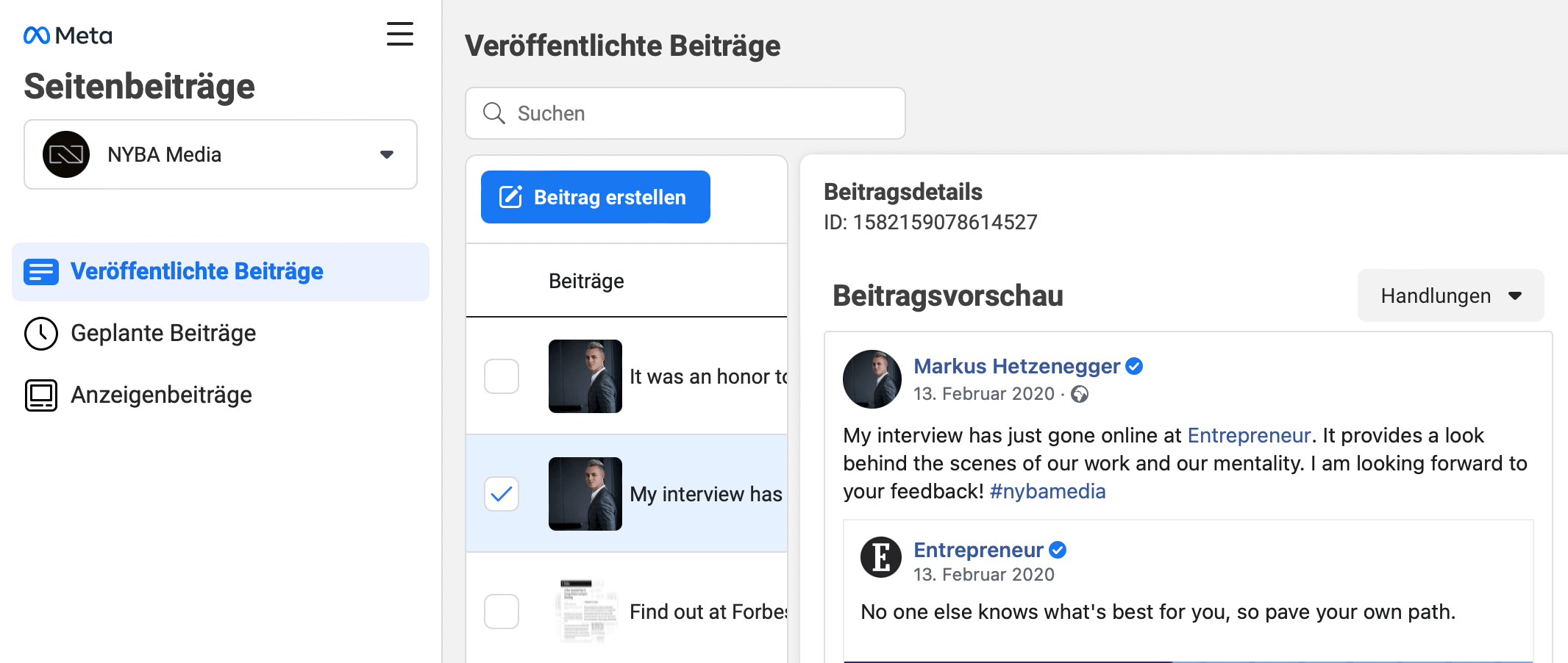
To find a post ID on Facebook:
- Go to business.facebook.com
- Navigate to Business Settings → Page Posts
- Select the correct Facebook page
- Under Post Details, you will find the Post ID
Instagram: Post ID
To find a post ID on Instagram:
- Go to your Instagram profile
- Open the post you want to check
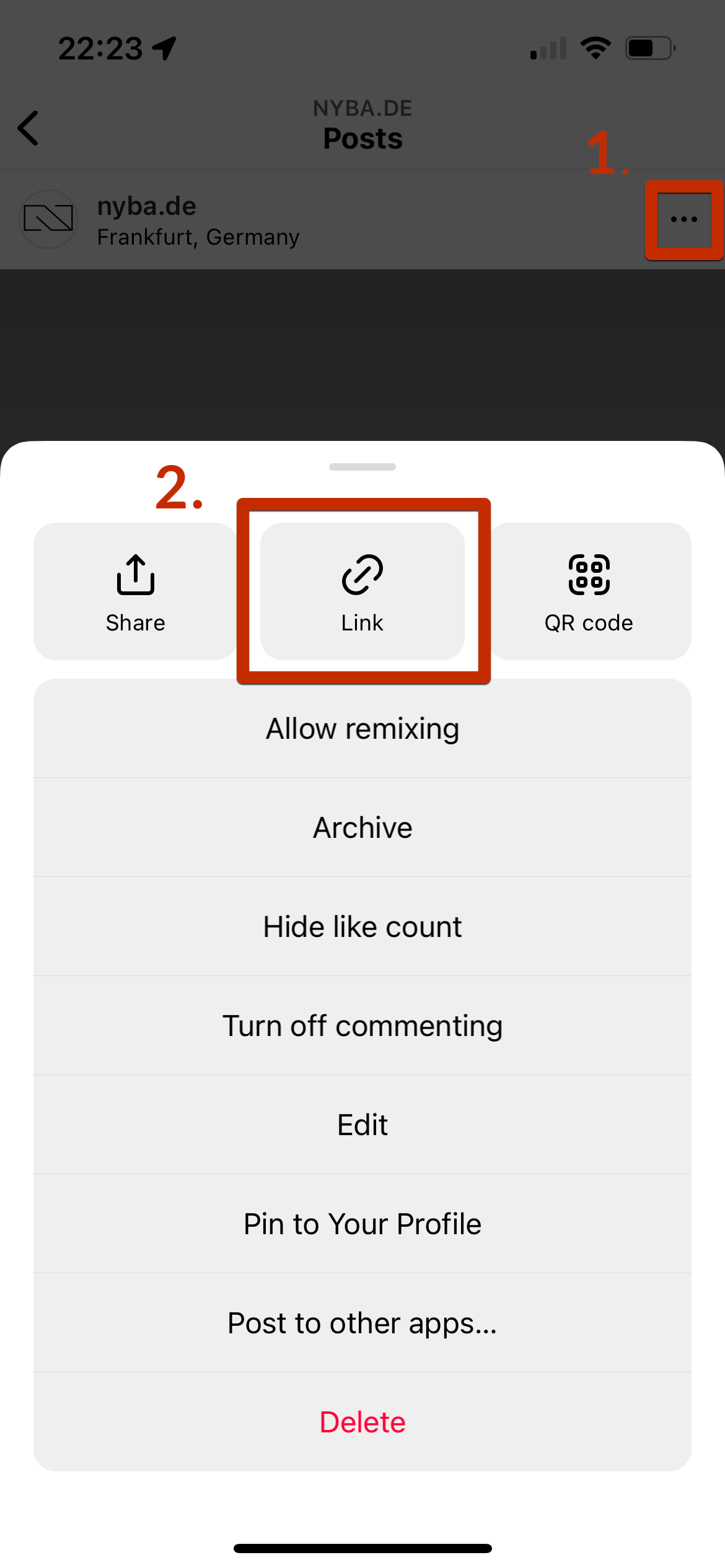
- Click the three dots at the top right of the post
- Select the “Link” option in the middle
- Copy the post link, e.g.,
- Copy the post link, e.g.,
https://www.instagram.com/p/CK_NCZPJiOxMGSO7Rv3SVMYXBcrixuPUlZrebc0/?igshid=YmMyMTA2M2Y=
The bolded part of the URL (CK_NCZPJiOxMGSO7Rv3SVMYXBcrixuPUlZrebc0) is your Instagram Post ID.



What would 3x more
revenue mean for you?
Find out:
