



Here’s how to verify your domain on Facebook:
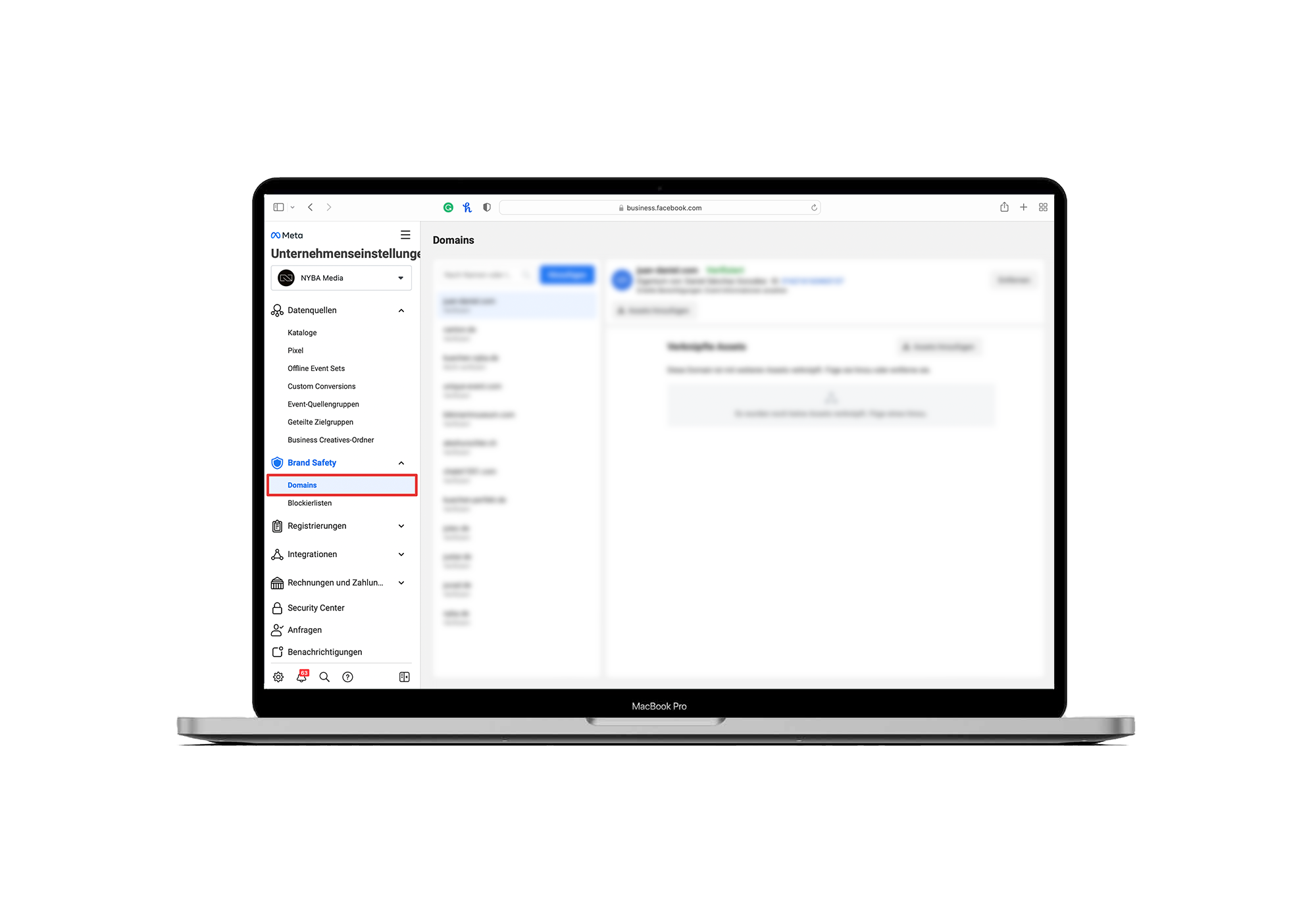
- Go to business.facebook.com
- Click on Business Settings
- Under Brand Safety, go to Domains
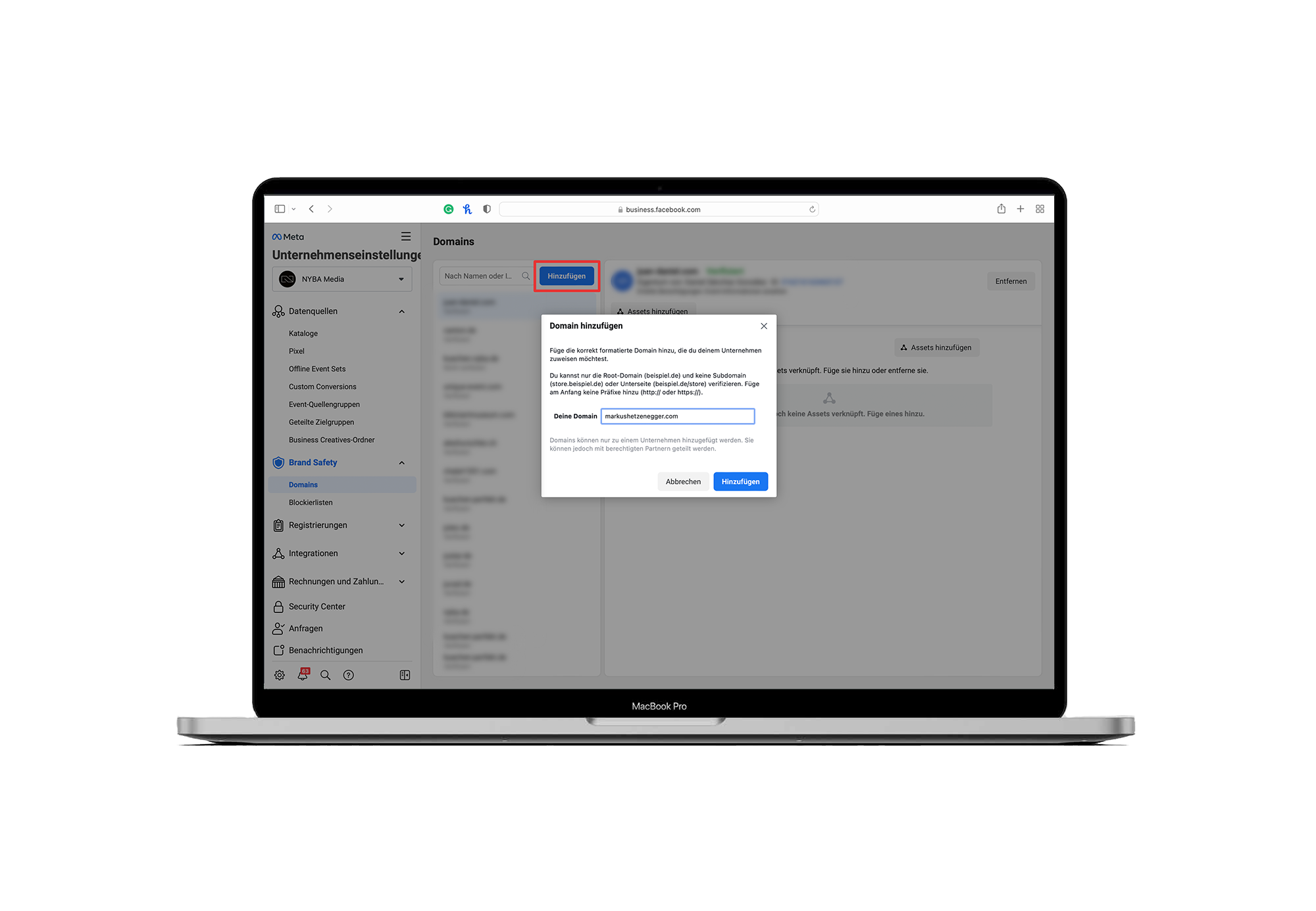
- Click Add Domain
- Enter your domain in the provided field
- Copy the Facebook meta tag into the head section of your website
- Publish your website with the new meta tag
- Click Verify Domain
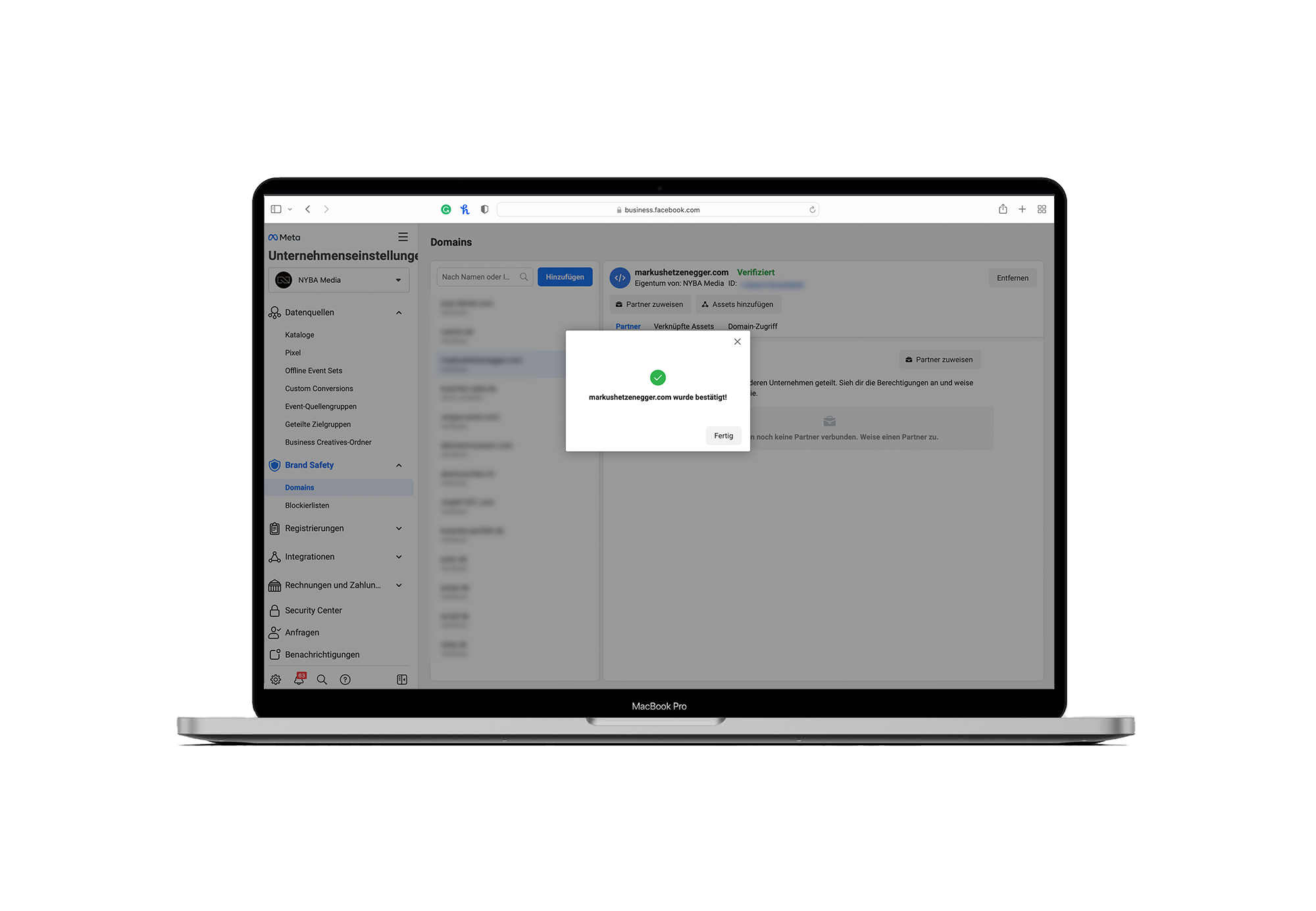
- Your domain is now confirmed by Facebook
- Click Done






What would 3x more
revenue mean for you?
Find out:
